01
Long queues
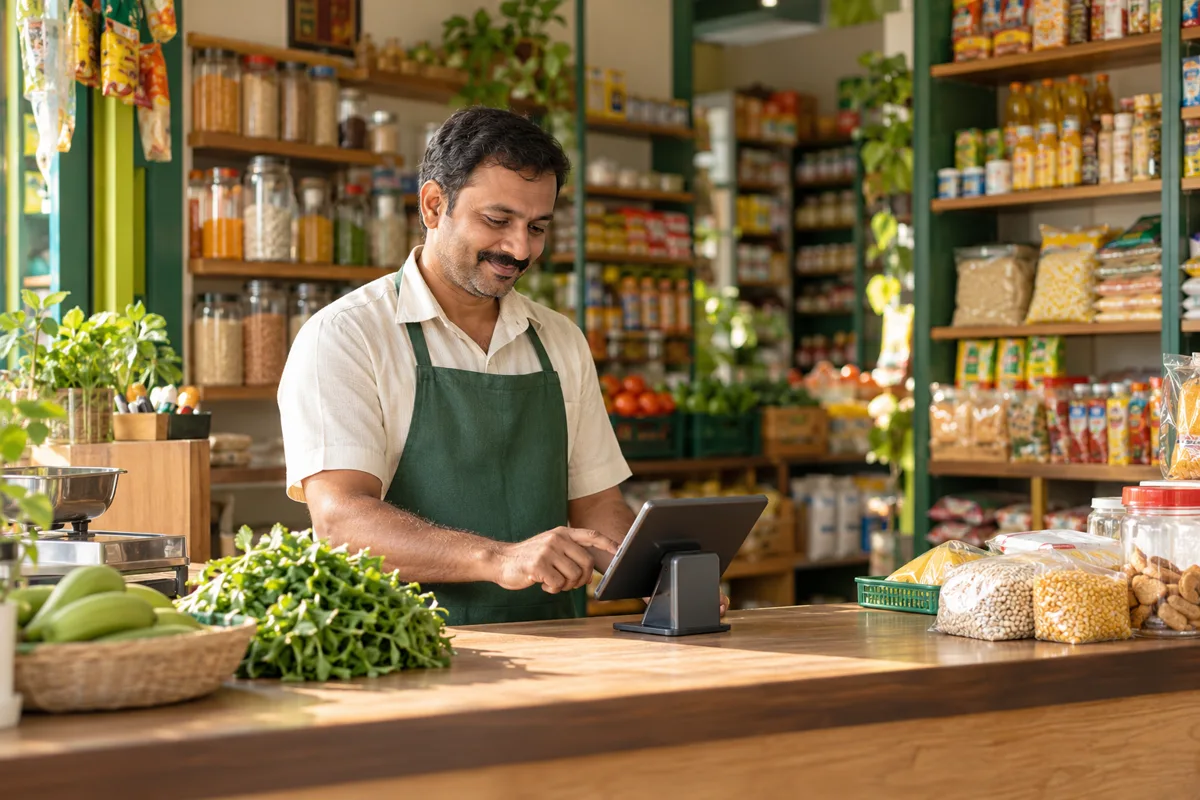
Repeated typing slows the counter when customers are waiting.

Faster billing, fewer stock surprises and a clearer view of your shop—all in one simple workspace.

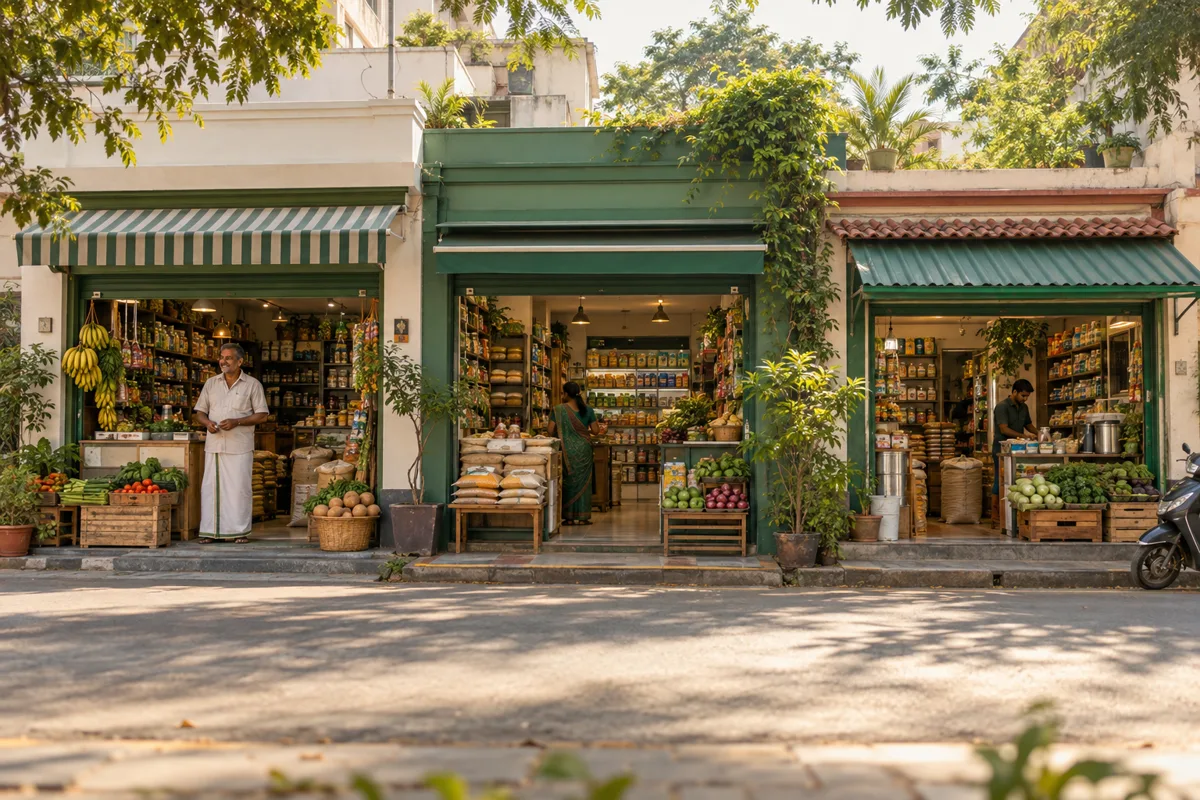
Made for the rhythm of Tamil Nadu shops
3
Languages at the counter
Tamil · Tanglish · English
3
Ways to run Laabo
One shop · several shops · supermarket
3
Levels of team access
Owner · manager · cashier
0
Sales posted without you
Every voice draft waits for review
When billing, stock and expenses live in different places, it is harder to see what needs attention. Laabo brings the everyday picture closer together.
Built around the work at the counter—not another set of screens to manage.
Repeated typing slows the counter when customers are waiting.
Paper notes make it easy to miss what sold or needs restocking.
Sales alone do not show the full picture after purchases and expenses.
A shop tool should feel natural to the people using it every day.
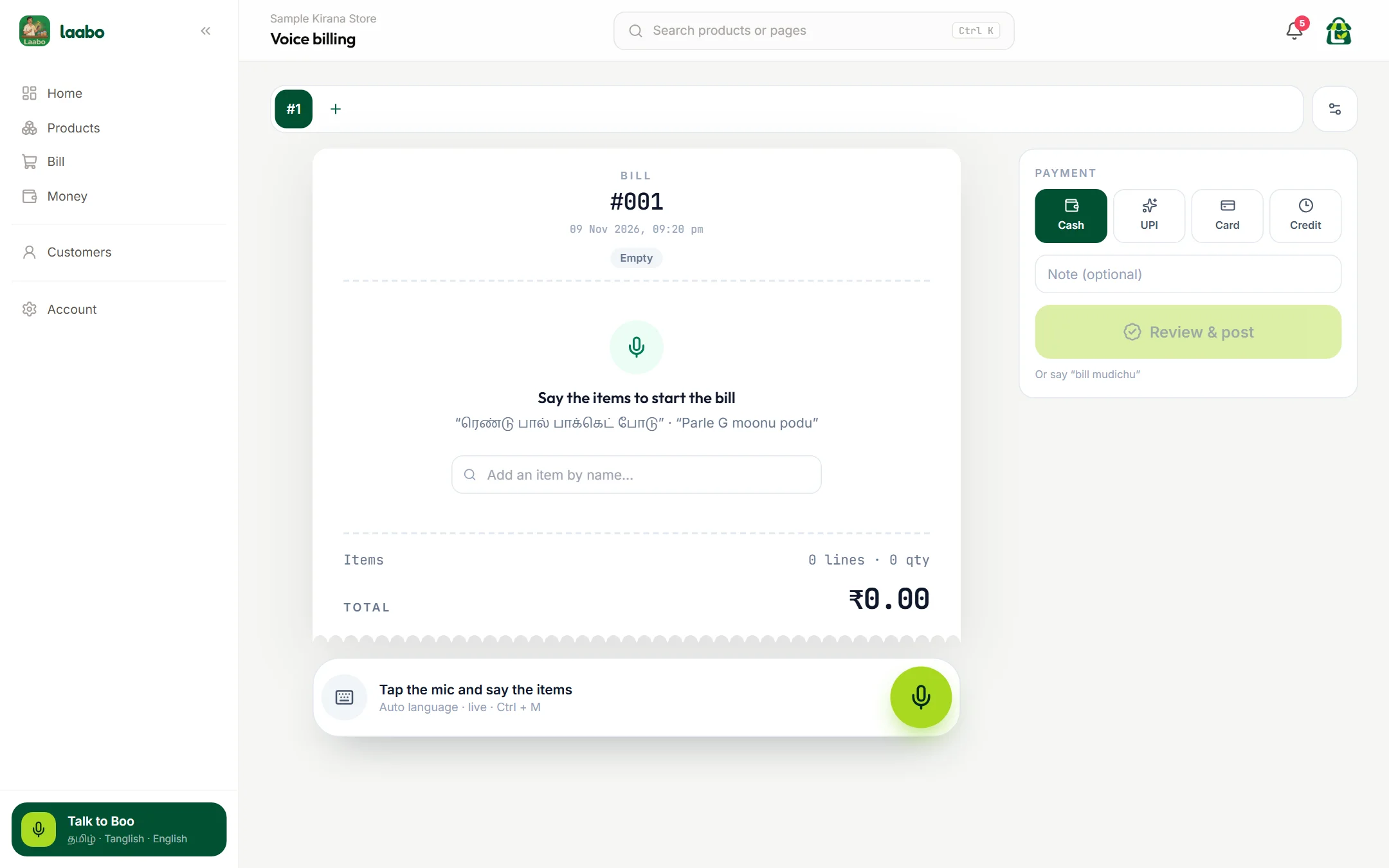
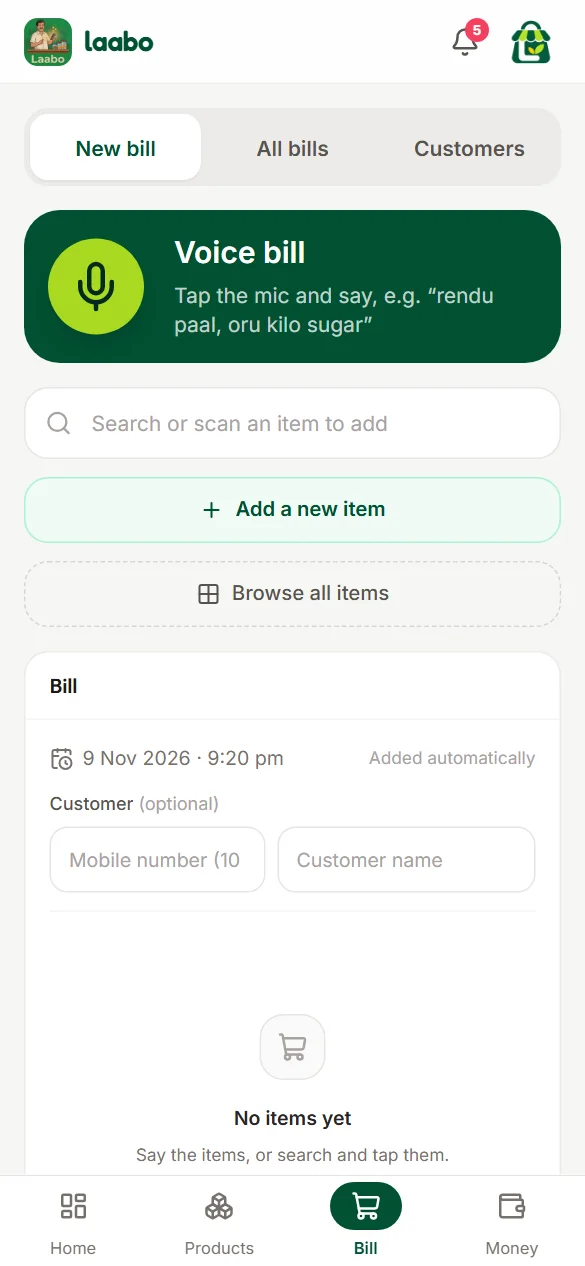
Tamil, Tanglish or English phrases can become a bill draft. The shopkeeper stays in control—check the item and quantity before continuing.
“ஆவின் பால் இரண்டு பாக்கெட்”
Aavin paal rendu packet
Aavin milk · 500 ml
Quantity · 2 packets
Try it · guest preview
Say an item, then check the local draft.
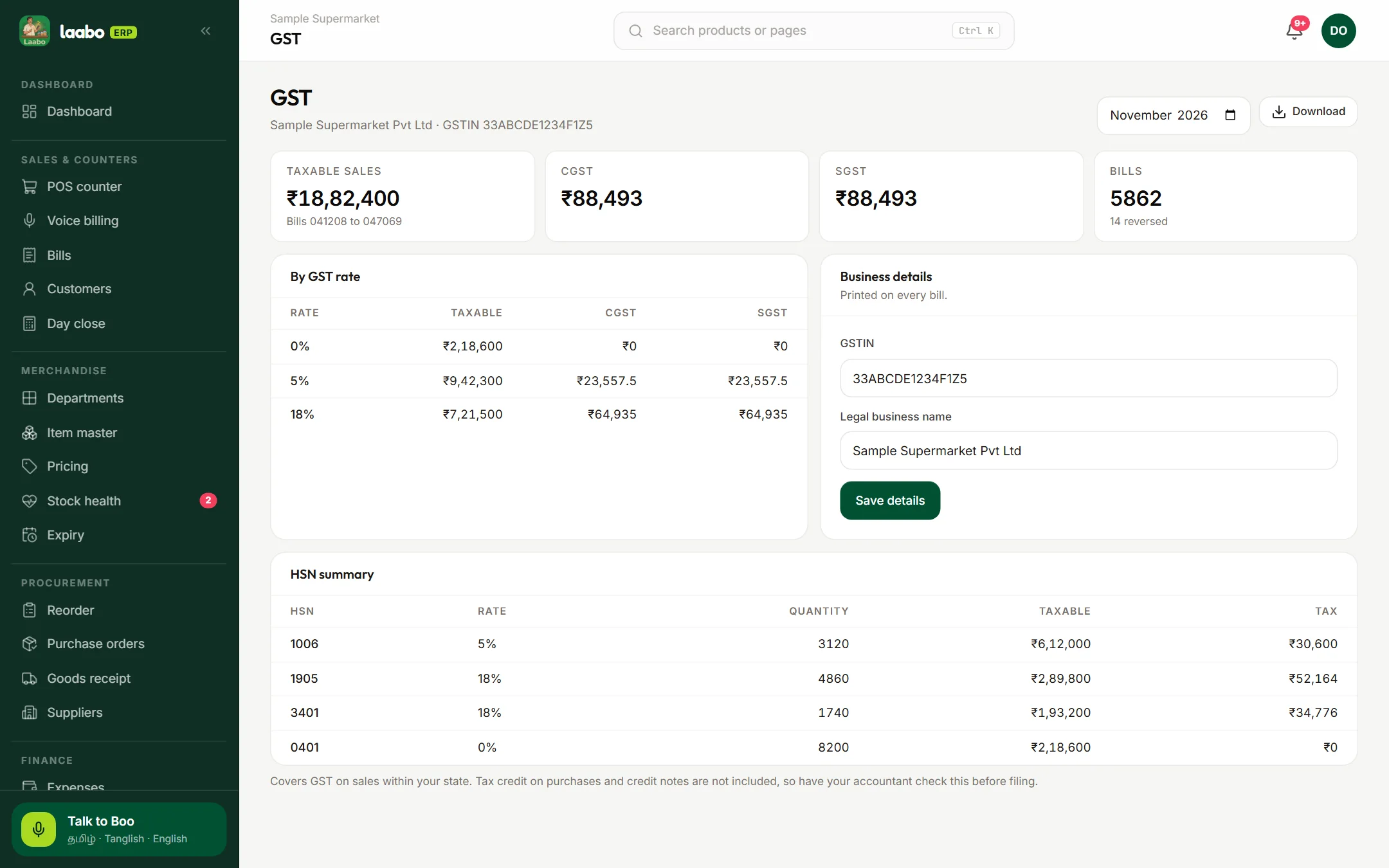
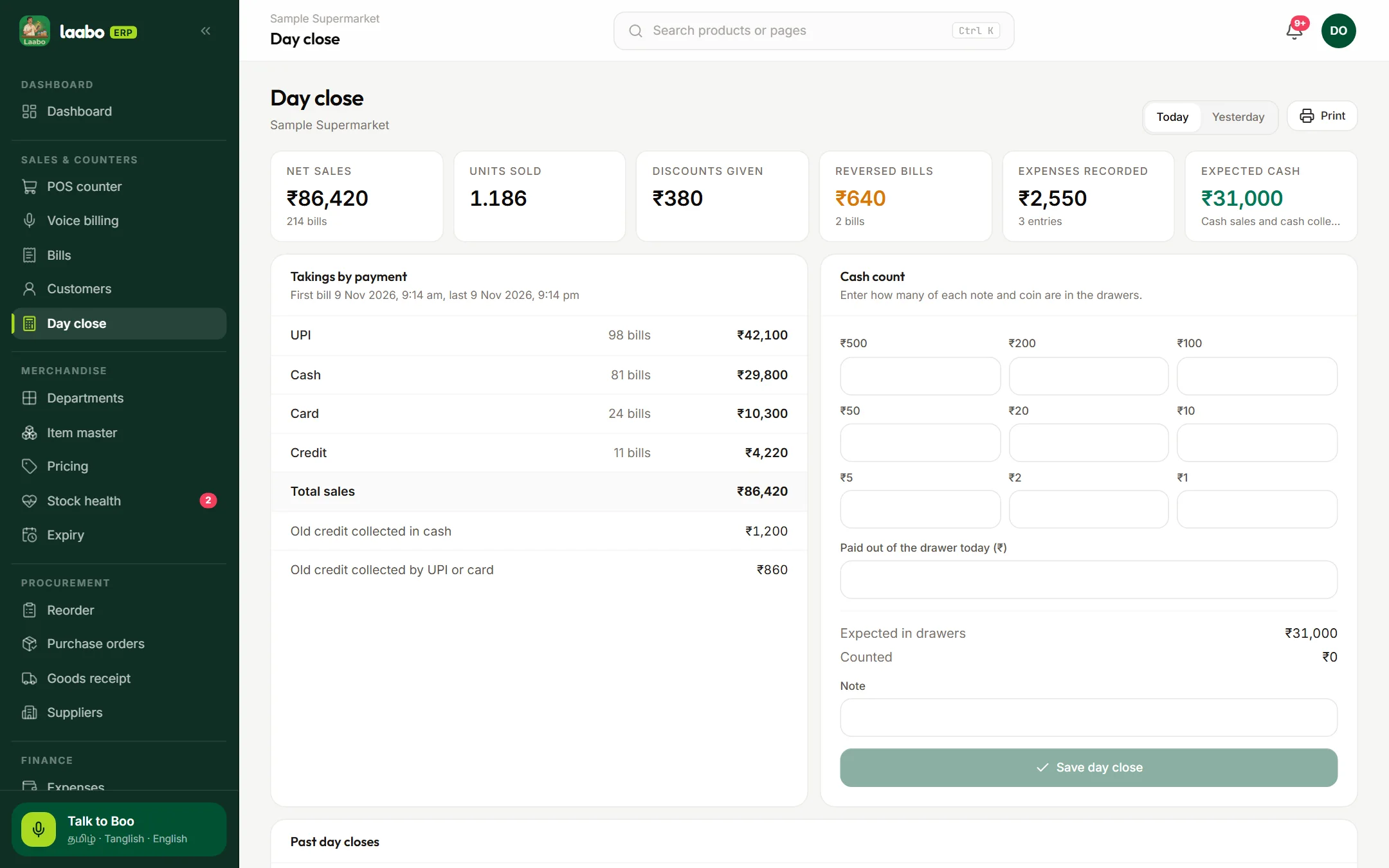
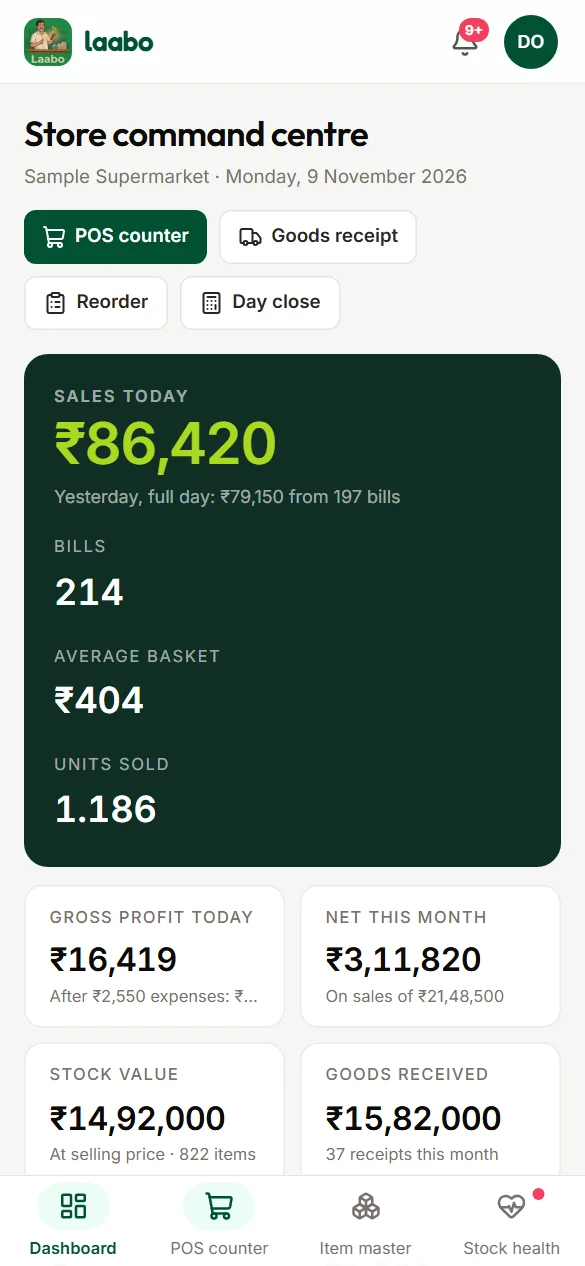
Every picture here is the actual product your team will use, filled with sample shop data.
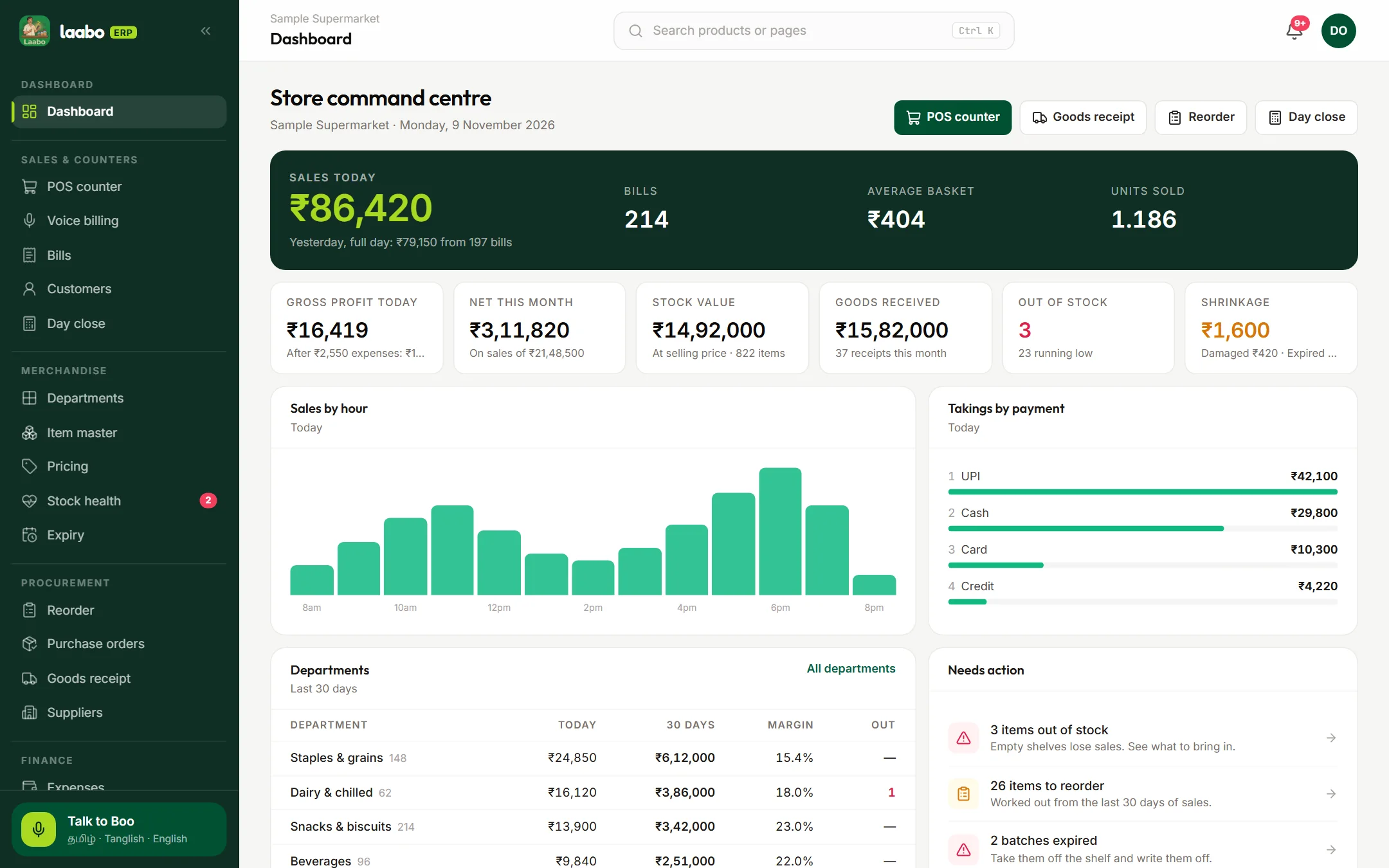
Today’s sales, profit, stock value and a list of what needs action.
Real Laabo screens. Sample shop data.
From the first bill to the day-end numbers, the tools your team needs are close at hand.
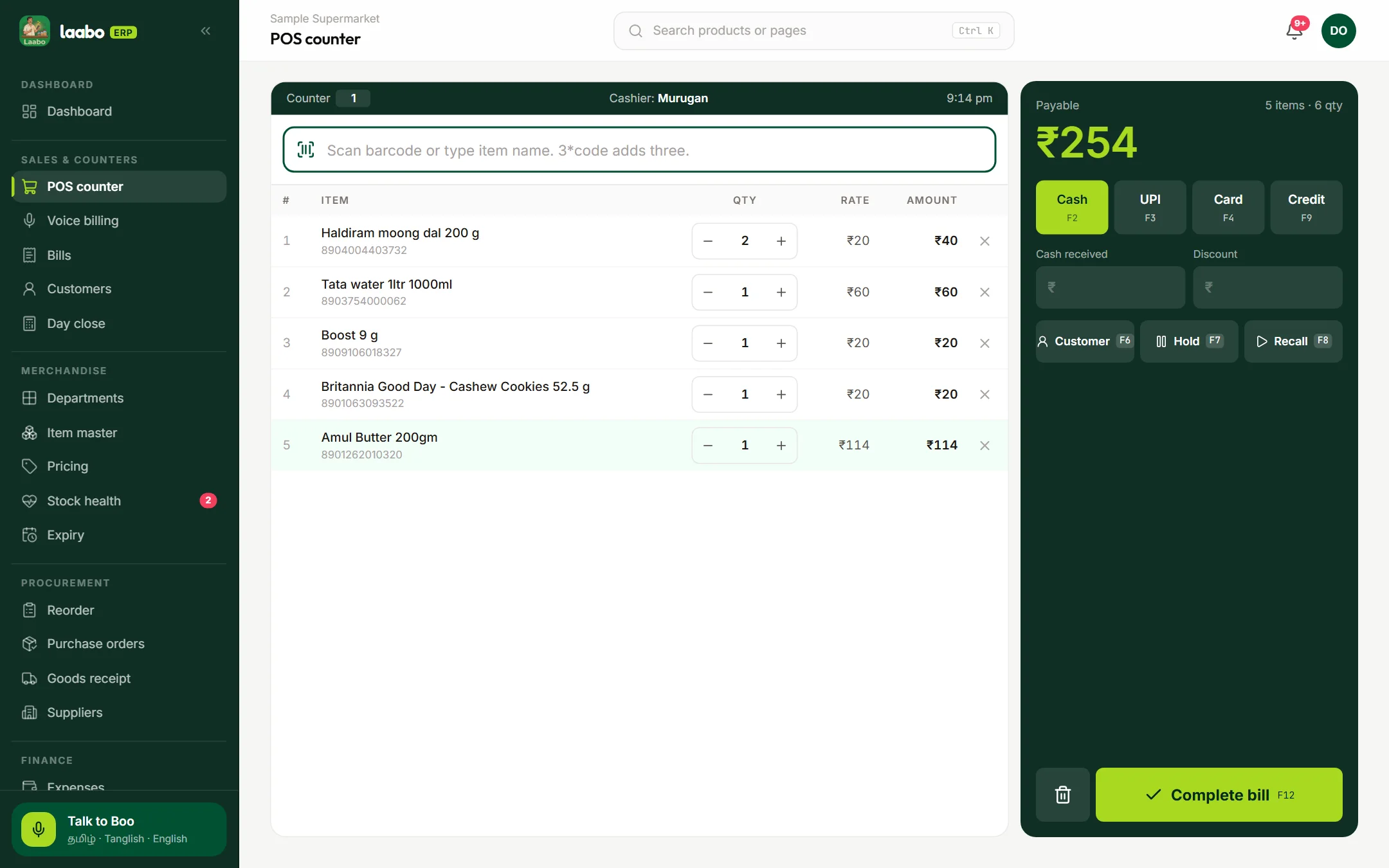
Scan a barcode or type a name. Hold a bill, recall it, and take cash, UPI or credit.
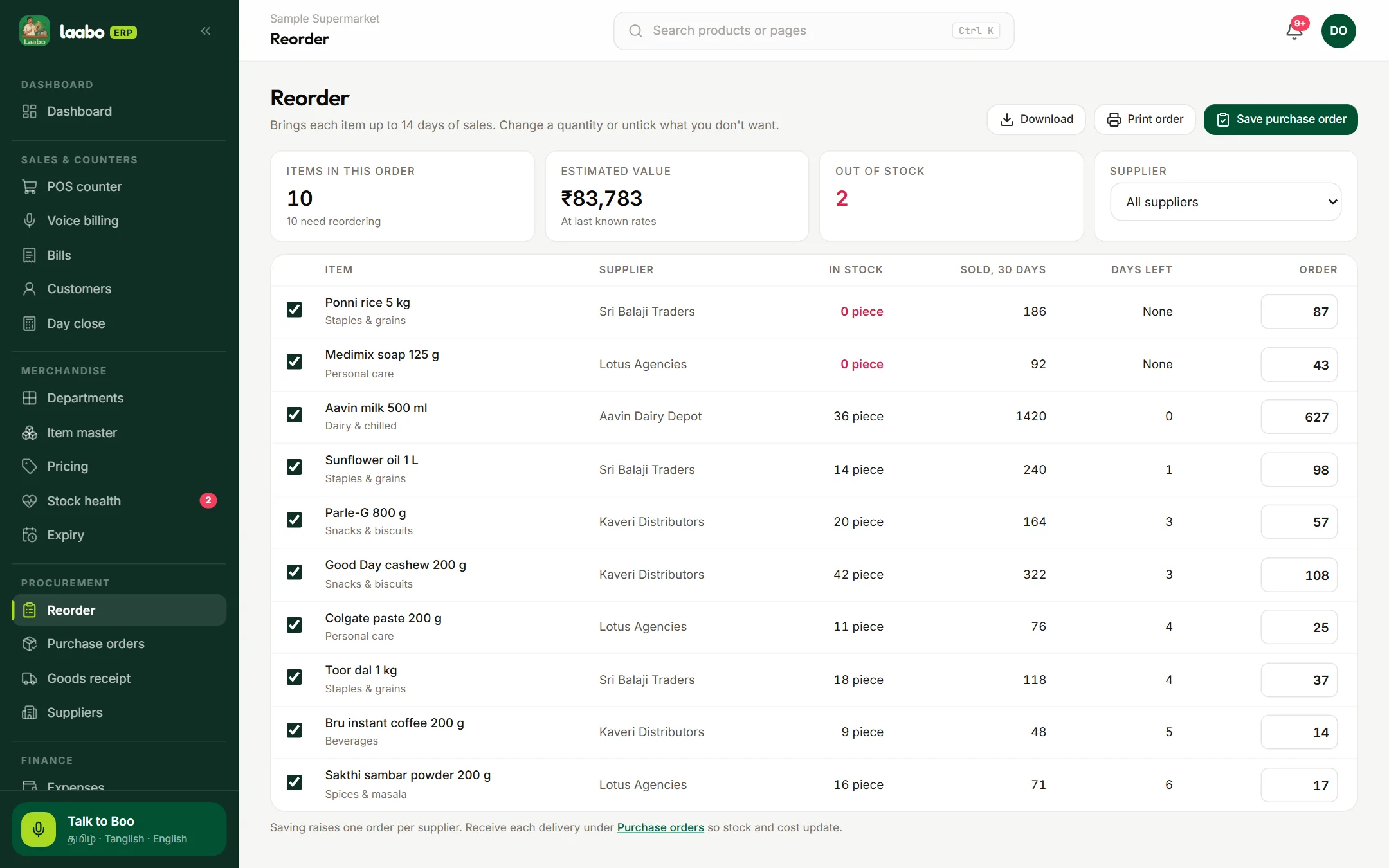
Each sale takes stock down. Low-stock alerts and a reorder list tell you what to bring in.
Sales, recorded item costs and expenses side by side, so you see what you really made.
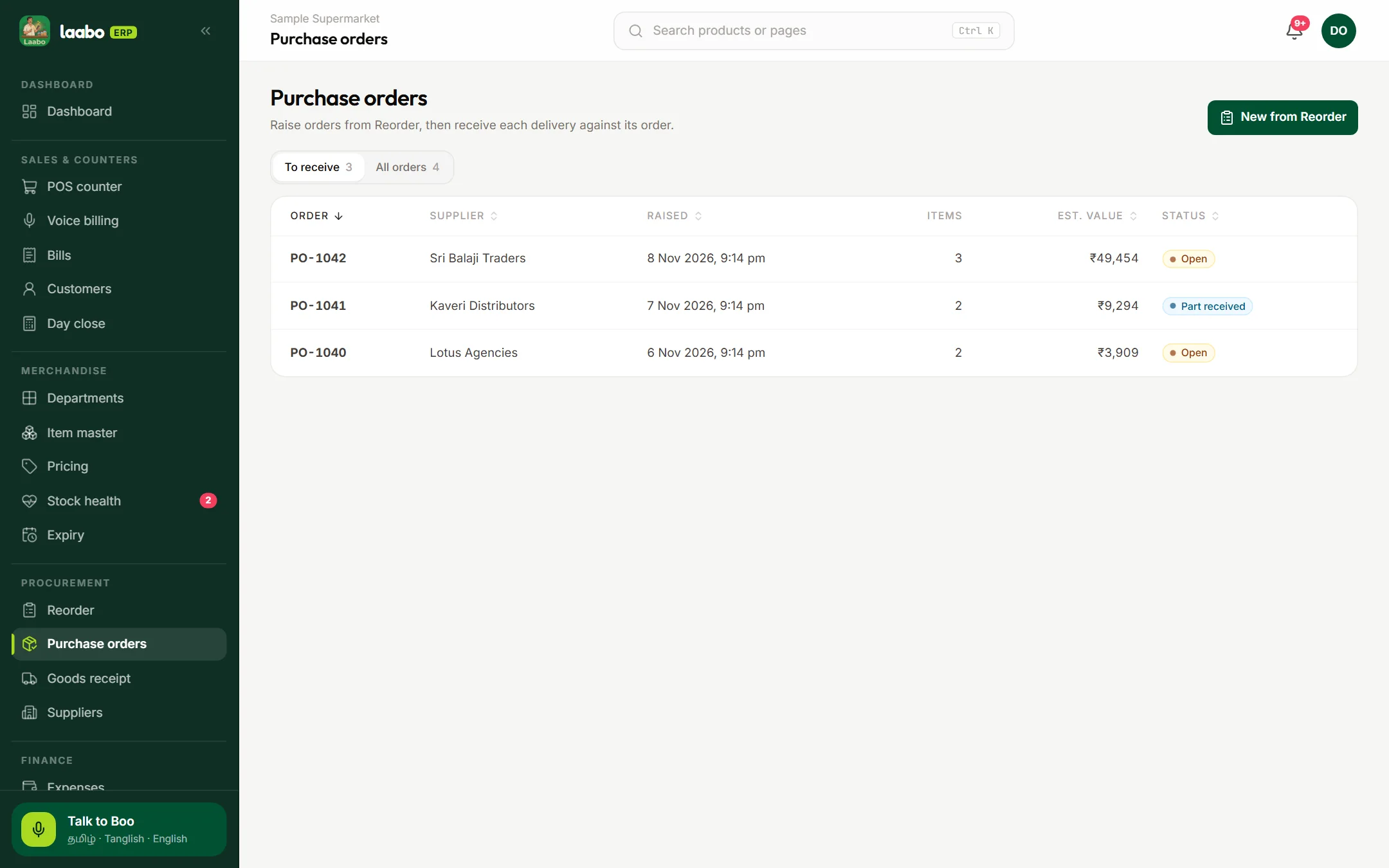
Record what comes in and keep each item’s cost up to date. Your margin stays honest.
Take a photo or upload a PDF, check the items it found, and add the stock.
Make credit bills, see who owes what, and record what they pay back.
Use a barcode scanner at the counter, or search for the item by name.
Print on 58 mm or 80 mm thermal printers over Bluetooth or USB, or through the browser.
Bring in your customer list from a CSV file and download your reports.
Owners, managers and counter staff each see only what their work needs.
Here is how an ordinary day runs when everything is in one place.
Morning
Boo tells you what ran out, what is running low and who owes you.
At the counter
Tamil, Tanglish or English. Stock and credit update as each bill is posted.
When the supplier comes
Laabo reads the items, you check them, and the new cost is saved.
Closing time
Sales, expenses and profit are ready. Supermarkets also count the cash drawer.
A supermarket account runs as one store, with the operations a bigger floor needs.
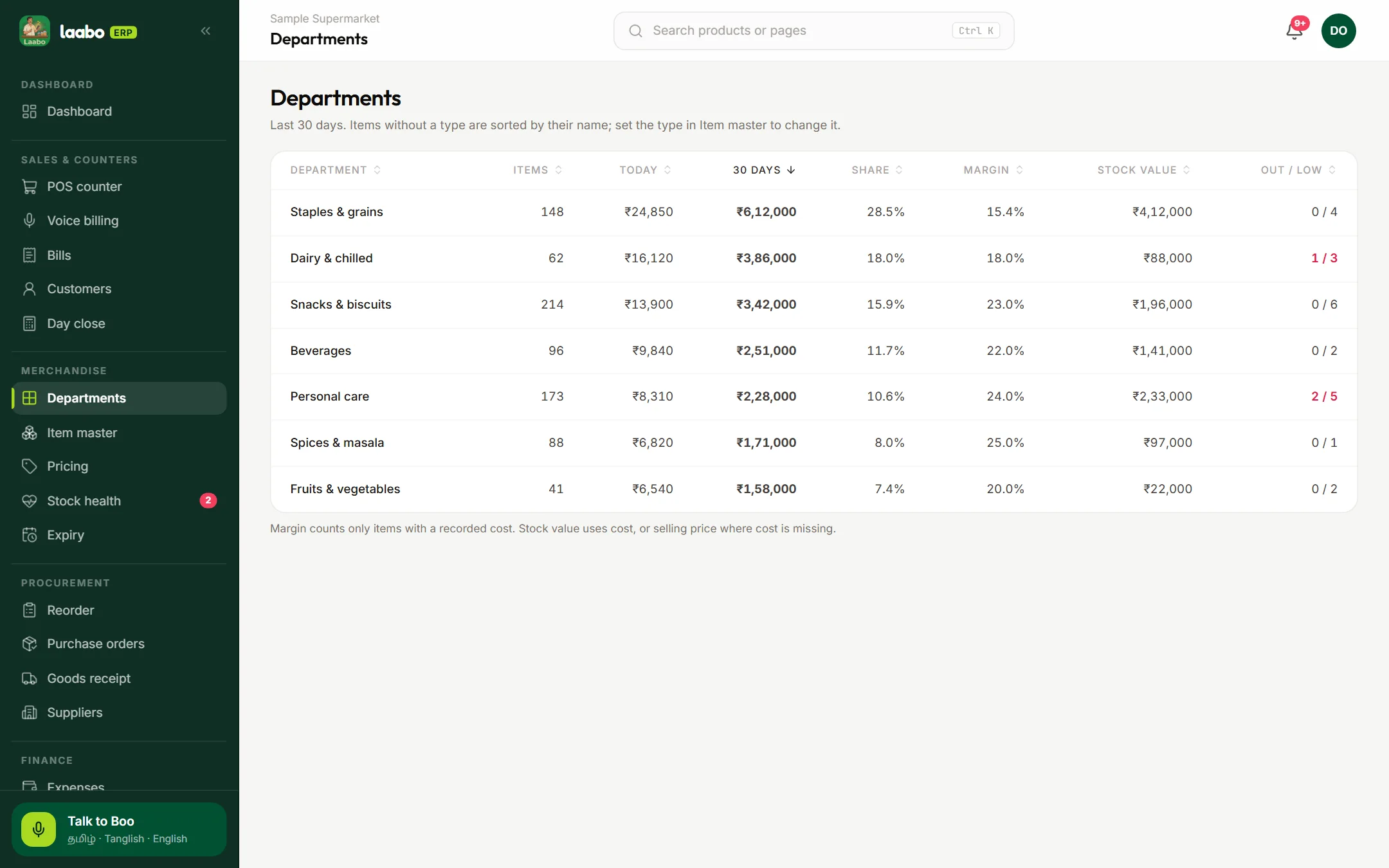
POS counters
Scan-first billing with keyboard shortcuts.
Departments
Sales and margin for each department.
Pricing with MRP
Set MRP, selling price and GST rate.
Purchase orders
Raise orders and receive them against delivery.
GST bills
Consecutive bill numbers, CGST and SGST.
Day close
Count cash and keep a saved record.
Owner, manager, staff
Counter staff bill. They can’t see your profit.
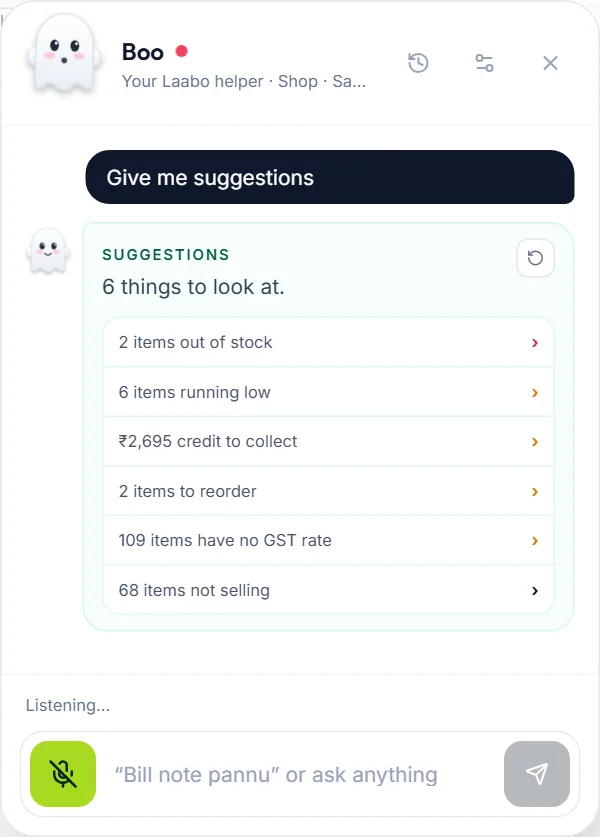
After you sign in, Boo answers from your own shop’s records, in Tamil, Tanglish or English.
Ask for today’s report and get sales, profit and stock from your own shop.
Low stock, credit to collect, reorder and slow-selling stock appear as small messages.
A short list of what deserves your attention, with a link to each.
Boo follows each person’s role, so staff never get owner numbers.
Your conversation is saved, so you can pick up where you left off.
Start with the essentials. Your workspace can grow as your catalogue and team take shape.
Step 01
Add your shop details and choose how you want to get started.
Step 02
Add items by hand or scan a supplier bill photo to fill your list.
Step 03
Build a bill at the counter and review it before confirming.
Pick what sounds like you. Laabo sets up the right workspace when you sign up.
For one busy counter, with or without helpers.
For one owner with shops in more than one place.
For one big store with departments and counters.
A shop workspace should feel clear and personal. Sign in, give each person the access they need, and keep control of what becomes a sale.
Business tools are for signed-in members of your shop.
Owners, managers and cashiers can have different working views.
Review voice suggestions and bill details before moving ahead.
A dependable daily rhythm
If the internet drops while you save a bill, the bill stays on your phone and uploads by itself when you are back online. Every bill has its own key, so it is never counted twice.
How we handle your informationNever posted twice
Each bill has a unique key, so a retry is safe.
Stock follows the work
Each posted bill updates the stock.
Clear about failures
If something could not be saved, Laabo says so.
Phone or computer
Laabo runs in the browser on either one.
Simple monthly plans with a free trial. Prices exclude GST; switch or cancel any time from your Plan page.
One shop
For an owner running one busy counter.
Quote on request
Confirmed for your shop setup
A few hands
For a shop where owners and staff work together.
Quote on request
Confirmed for your shop setup
Growing
For a business adding locations and routines.
Quote on request
Confirmed for your shop setup
Every plan includes unlimited bills and Tamil voice billing. Need more shops or staff, or a supermarket setup? Talk to us about Enterprise.
Straight answers on language, hardware, connectivity, setup and shop access.
Still have a question?
The Laabo team can confirm your setup.
Laabo is billing and inventory software for shops in Tamil Nadu. Cashiers can bill by speaking in Tamil, Tanglish or English, and owners track stock, credit, purchases and profit from one workspace on a phone or computer.
Kirana and grocery shops, owners with several shops, and supermarkets in Tamil Nadu. Laabo sets up the right workspace when you sign up.
Laabo was designed and developed by iBOY, a web and software studio. You can find iBOY at iboyhub.com.
Yes. The Business plan covers up to 3 shops and 15 staff, with all your shops on one screen. For more, ask about Enterprise.
No. Your words become a bill draft. Nothing is a sale until the shopkeeper checks it and confirms.
Yes. Say the items in Tamil, Tanglish or English. Each plan includes a monthly number of voice bills, shown in Pricing.
If the internet drops while you save a bill, the bill stays on your phone and uploads by itself when you are back online. Every bill has its own key, so it is never counted twice.
No. Laabo runs in the browser on a phone or computer. It also prints on 58 mm and 80 mm thermal printers over Bluetooth or USB.
You can add stock by scanning a supplier bill photo or PDF, and bring in your customer list from a CSV file. The Laabo team can help with larger lists.
Give each person the owner, manager or staff role. Counter staff can bill but cannot see your profit or owner settings.
GST bills with CGST and SGST, HSN codes and a monthly GST report are part of the supermarket account.
Current monthly prices are in the Pricing section above. Prices exclude GST, and most plans start with a free trial.
See how billing, stock and a Tamil voice draft could fit the way your shop works.
Counter preview
A clearer next step